
Manage Your Shopify Stores in One Unified Platform
Connect through the Shopify Admin API and get full sync for orders, products, inventory, and customers with native multi-store support.
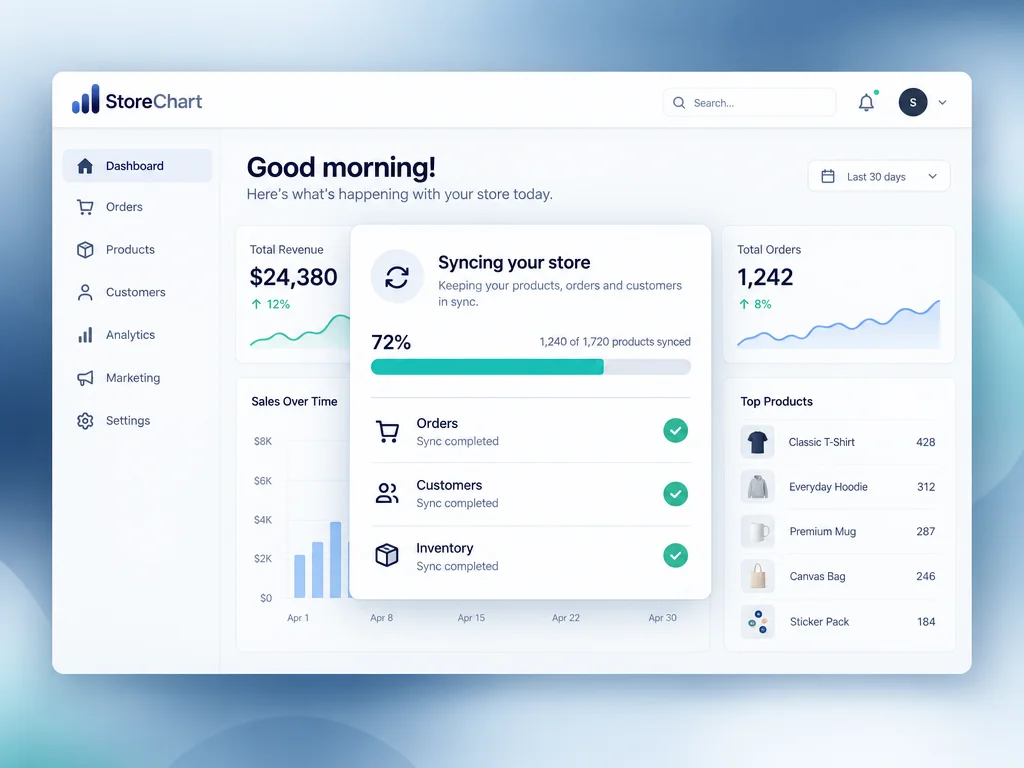
Every Shopify store, synced in one place
One connection per store gives you a shared, real-time base for orders, products, inventory, and customers.
- Connects through the official Shopify Admin API — no custom code or development needed.
- Orders and products sync automatically within minutes of connecting the store.
- Shopify webhooks report every order or inventory change in real time.
- Connect multiple Shopify stores, and combine them with WooCommerce stores, under one account.
How to connect Shopify in about 5 minutes
Three steps between the Shopify admin and StoreChart — no developer and no code required.
Under Apps and sales channels, create a private app or install the StoreChart connected app, then grant read access to orders, products, and inventory.
Paste the access token Shopify generates into StoreChart's connection screen — the whole step takes about a minute and is confirmed instantly.
StoreChart imports existing order history, the product catalog, and customers, and from then on every new event arrives through a real-time webhook with no manual sync step.
After the first import, every new order, inventory change, or customer update flows through the same webhook connection with no manual re-sync step, keeping StoreChart aligned with the live store around the clock.
What unlocks once Shopify is connected
Orders
Every new order and status update syncs from Shopify to StoreChart within minutes via webhooks.
Products
The product catalog, including variants and images, imports automatically and stays synced with Shopify.
Customers
Shopify customer profiles merge into one CRM record that includes order history across every connected store.
Inventory
StoreChart acts as the single source of truth for stock when multiple Shopify stores share the same catalog.
Multi-currency awareness
Orders placed in a store's local currency import with that currency preserved, so multi-region Shopify merchants can report accurately per store instead of forcing every order into a single currency.
Combined Shopify + WooCommerce reporting
Merchants running both platforms see orders, inventory, and customers from Shopify and WooCommerce side by side in the same dashboard, instead of switching between two separate admin panels.
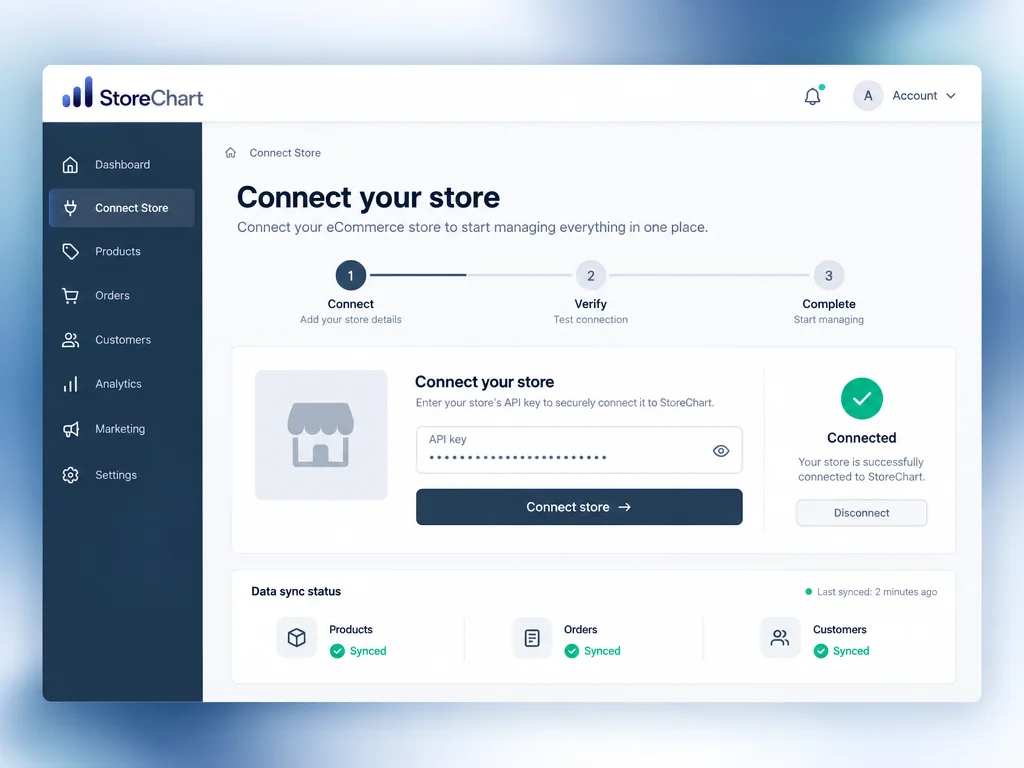
The Shopify connection screen in StoreChart
The setup wizard shows the connected app's status and the timestamp of the last sync pulled from the store.
What should multi-platform and multi-region merchants know before connecting Shopify?
A meaningful share of StoreChart merchants run Shopify alongside WooCommerce, or run several regional Shopify stores side by side — and both scenarios work the same way as connecting a single store. Each Shopify store connects independently through the Admin API, and StoreChart's dashboard can either show every connected store merged into one combined view, or filter down to a single store's orders, inventory, and customers.
Currency handling matters here: orders import with their original transaction currency preserved rather than being force-converted, so a merchant running a USD-priced US store and an ILS-priced Israeli store sees both reported accurately in their native currency, with totals available per store rather than a single misleading blended number. Inventory works the same way across stores that share a product catalog — StoreChart becomes the single source of truth for stock levels, so a sale on one connected store immediately reflects as reduced availability everywhere else that product is listed.
On the technical side, connecting requires Admin API access, which every standard Shopify plan (Basic, Shopify, and Advanced) includes — Shopify Plus adds features relevant to very high transaction volume, but it is not a requirement for the integration itself. If a store's access token is revoked (for example, after uninstalling and reinstalling the connected app), reconnecting triggers a catch-up sync that pulls in everything that happened during the gap, so no order or inventory change is permanently lost. The same logic applies to apps installed alongside StoreChart on a Shopify store: because StoreChart connects through the standard Admin API rather than modifying theme files or checkout scripts, it coexists with other apps (reviews, upsells, loyalty programs) without conflicting over the same storefront resources. Merchants migrating from WooCommerce to Shopify, or running both during a transition period, can keep both connections active in StoreChart at once, which keeps historical reporting continuous instead of losing data at the cutover point. That continuity matters most for stores mid-migration, since it means order history and customer profiles stay in one place even while products are still being moved between platforms.
What opens up after connecting Shopify
Frequently asked questions
The connection is established via the official Shopify Admin API and webhooks in approximately 3 minutes, supporting all Shopify plans without requiring Shopify Plus. Once connected, orders, inventory, products, and customers sync automatically in real time. You can connect multiple Shopify stores and combine Shopify and WooCommerce stores within the same account.
Connect your Shopify store now
Setup takes about 5 minutes and no credit card is required to get started.