
Accurate, synced inventory, in every store, every moment
StoreChart is the single source of truth for your stock: SKU tracking, minimum thresholds, automatic alerts and logged stock receipts, synced two-way with WooCommerce and Shopify.
One inventory SSOT, not a rough estimate from the store
Accurate stock that updates automatically the moment anything changes
- Two-way inventory sync updates automatically between StoreChart and every connected WooCommerce or Shopify store.
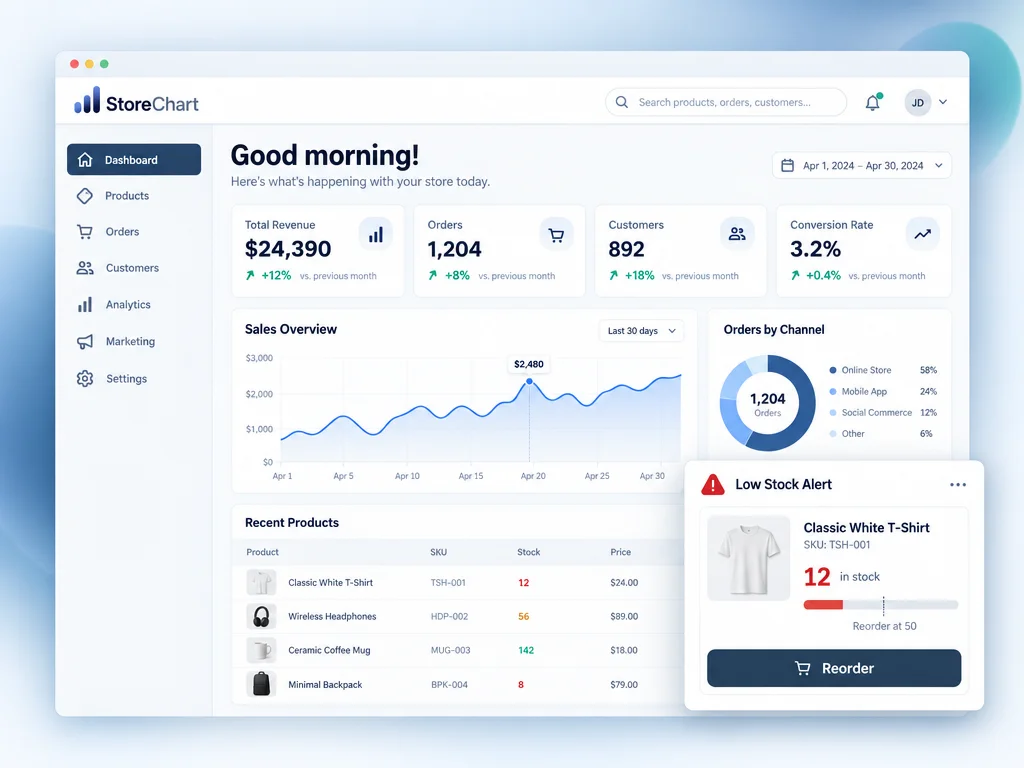
- Minimum-stock thresholds are set per product and trigger an automatic alert before that item actually runs out.
- Every stock receipt, like goods received or a count correction, is logged with a timestamp and full detail.
- A complete stock change history shows who made every change, when it happened, and the exact quantity involved.
Everything inventory management covers
From basic SKU tracking to advanced warehouse reporting
How to start with SSOT inventory management
Just three steps to accurate, always-current stock
Connecting WooCommerce or Shopify finishes within minutes and imports all existing stock data into the system.
Stock quantities from every connected store load automatically and merge into one accurate combined view.
Define a minimum stock level per product or variant, then let automatic alerts fire as stock approaches that level.
The StoreChart inventory screen
An inventory screen showing real-time quantities, configured minimum thresholds and active alerts for every SKU — the full picture in one view.
Connects to the platforms you stock inventory on



Frequently asked questions about inventory management
Yes. Every sale, order cancellation or stock receipt updates the quantity in real time, with no manual update or separate sync run required.
Related capabilities
Ready to actually control your inventory?
Connect your first store and get an inventory SSOT within minutes.