
WooCommerce Runs the Store. StoreChart Runs the Business.
WordPress and WooCommerce give you a flexible storefront, but no profitability BI, real CRM, or WhatsApp. StoreChart fills exactly that gap.
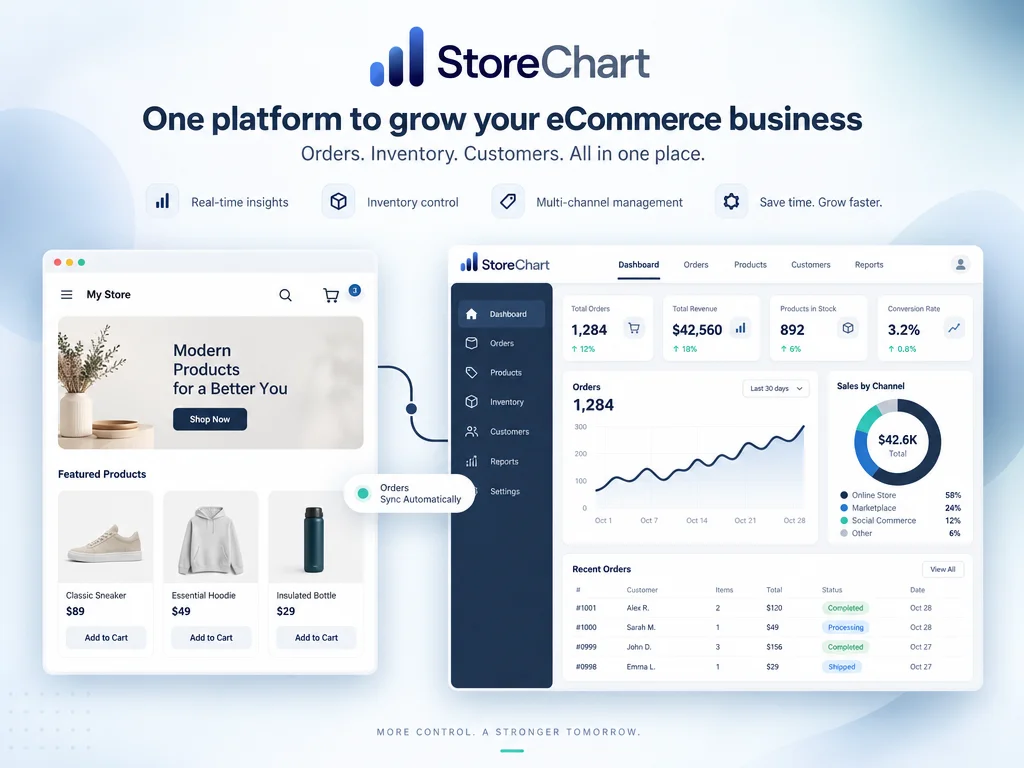
The layer WooCommerce is missing, without a plugin weighing down your site
Connected through the standard REST API, not another WordPress plugin
- Connects through the official WooCommerce REST API, no plugin weighing down your site
- Advanced order management with filtering and bulk editing WooCommerce admin doesn't offer
- Profitability BI that calculates landed cost, not just a basic revenue report
- Unified CRM with WhatsApp — a capability WooCommerce simply doesn't ship with
What StoreChart adds to your WooCommerce store
A smarter order management interface
Custom columns, advanced filtering, and bulk editing of multiple orders at once — capabilities that usually require several heavy WordPress plugins, consolidated here into one system.
Single source of truth for inventory
Inventory is managed as one source of truth and synced bidirectionally with WooCommerce, so a sale or cancellation updates in real time with no stockouts or overselling.
Built-in CRM with WhatsApp
Every customer gets a 360-degree profile combining WooCommerce order history and WhatsApp conversations, a capability that normally requires stitching together several separate plugins inside WordPress.
Profitability BI WooCommerce doesn't ship with
The BI module calculates landed cost and shows net margin on every order, a figure standard WooCommerce doesn't display at all without a separate reporting plugin.
A smart AI agent on your storefront
An AI chatbot answers customer questions and captures leads 24/7 on your WooCommerce site, without adding yet another WordPress plugin that slows down page load time.
How to connect a WooCommerce store to StoreChart
Connecting through the REST API — three steps
Sign up free with no need to install a heavy plugin on your existing WordPress site.
The connection wizard only asks for a WooCommerce REST API key and sets up sync within minutes, without touching your site's design or performance.
All existing data imports automatically and new updates sync in real time through webhooks, so BI and CRM start working from day one.
What actually happens after you connect
Connecting a WooCommerce store to StoreChart starts with generating a REST API key from the store's own settings — no plugin installation, no code added to the theme. Once StoreChart authenticates against that key, it pulls the store's existing catalog, customers, and order history in an initial sync, then switches to real-time webhooks for everything that happens afterward.
The order interface is usually the first difference a team notices. WooCommerce's default order list supports basic status filtering, but it has no bulk-editing across multiple orders and no custom columns. StoreChart's order management adds both, plus the ability to filter and edit orders from several connected WooCommerce (or Shopify) stores in the same view, which matters the moment a business runs more than one storefront.
Inventory sync is bidirectional by design: a stock correction made in StoreChart pushes back to WooCommerce automatically, and a sale recorded in WooCommerce reduces the shared stock count in StoreChart just as quickly. This two-way relationship is what lets the profitability module calculate real per-order margin — cost of goods, shipping, and processing fees are netted out using the same product data that drives the stock count, not a separately maintained spreadsheet.
WhatsApp is the piece most WooCommerce stores don't have any native equivalent for. Once a WhatsApp Business number is connected through Meta's official signup flow, every conversation is matched automatically to the right CRM profile by phone number, so a support agent replying to a customer message can see that customer's WooCommerce order history in the same screen.
None of this requires migrating hosting, changing DNS, or touching the live storefront's design — the WooCommerce site keeps running exactly as it does today, with StoreChart operating as a layer that reads and writes through the API rather than living inside WordPress itself.
StoreChart capabilities that complete WooCommerce



Frequently Asked Questions
Yes — StoreChart connects through the standard WooCommerce REST API, which is separate from your other plugins, so most regular WordPress plugins (shipping, payments, design) keep working without conflict.
Add the missing layer to your WooCommerce store
Connect free in 5 minutes — no heavy plugin required